
Landing Page
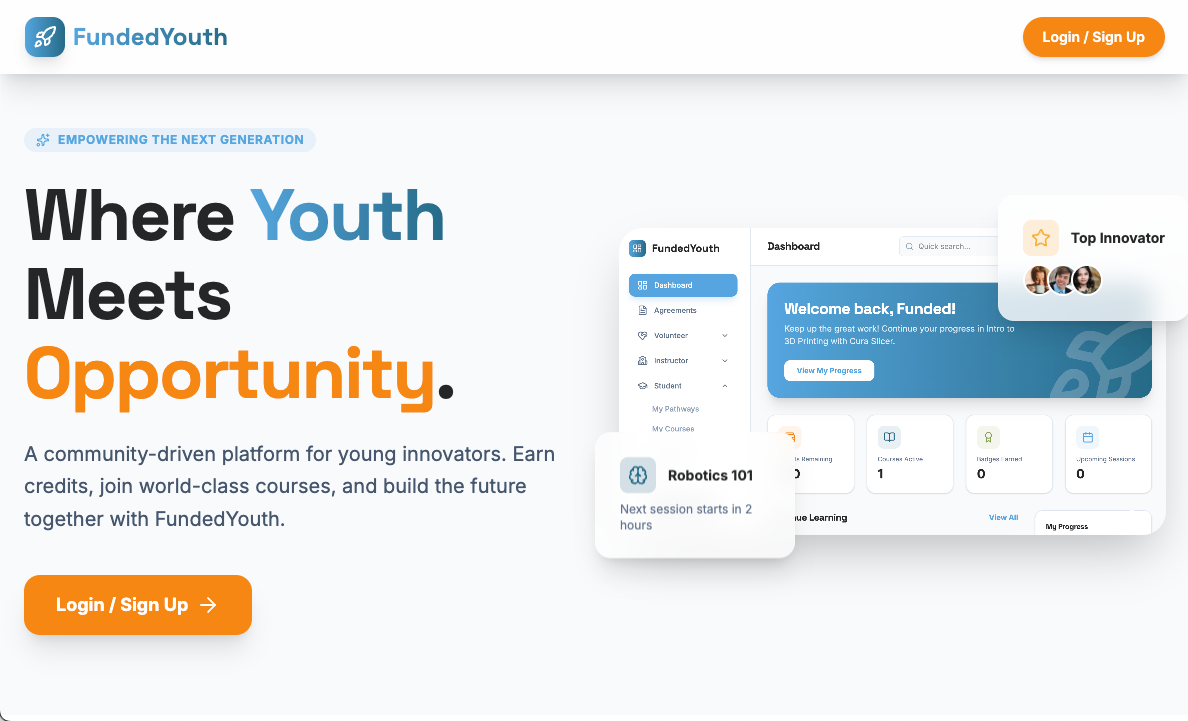
The landing page is the public-facing homepage of the FundedYouth Portal. It introduces the platform to new visitors and provides a path to sign up or log in.
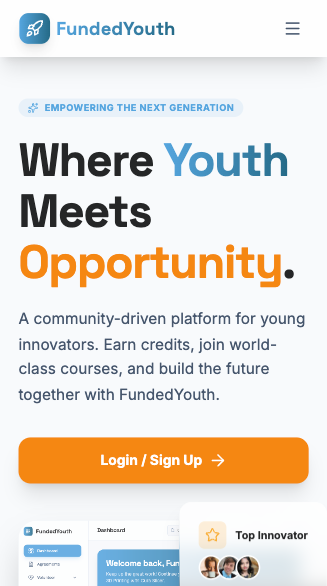
The landing page is fully responsive. On mobile devices, the layout adapts with a hamburger menu and stacked content:
Navigation Bar
Section titled “Navigation Bar”A fixed navigation bar stays at the top of the page with:
- FundedYouth logo on the left
- Login / Sign Up button on the right
On mobile, a hamburger menu opens a slide-in panel with the same link.
Hero Section
Section titled “Hero Section”The hero area is a two-column layout:
- Left column — A large headline (“Where Youth Meets Opportunity”), a brief tagline about earning credits and joining courses, and a prominent call-to-action button linking to the login page.
- Right column — An auto-rotating image gallery showing portal screenshots in both light and dark mode. Dot indicators below let visitors manually switch between images.
Two floating preview cards appear alongside the gallery:
- A course teaser card showing an upcoming class
- An achievement badge card highlighting user accomplishments
Features Section
Section titled “Features Section”Below the hero, six feature cards are displayed in a responsive grid (3 columns on desktop, stacked on mobile):
| Feature | Description |
|---|---|
| Student Registration | Browse and enroll in classes, workshops, and bootcamps using credits |
| Pathways & Progress | Track learning through structured STEAM topics with milestones |
| Earn Badges | Collect digital badges for course completion and achievements |
| Volunteer Features | Sign up for volunteer shifts, earn credits, and build experience |
| Instructor Features | Access rosters, manage enrollments, and track student attendance |
| Your Info Stays Safe | Security messaging about data privacy and parental involvement |
Each card includes a color-coded icon, description text, and tags for quick scanning.
Design Details
Section titled “Design Details”- Fully responsive with dedicated mobile navigation
- Dark mode support throughout
- Smooth fade-in and scale animations on scroll
- Card hover effects (lift on hover)
- All styling uses the FundedYouth color palette (primary blue, accent orange, teal, green)
What Happens Next
Section titled “What Happens Next”When a visitor clicks Login / Sign Up, they are taken to the authentication page.