
First Time Login
After creating your account and verifying your email, your first login to the User Portal will take you directly to the Agreements page. You must sign the required agreements before you can access any other features.
What You’ll See
Section titled “What You’ll See”When you log in for the first time, the portal will:
- Redirect you to the Agreements page
- Show a banner explaining that you must sign required agreements to continue
- Block access to all other menu items (Dashboard, Profile, Subscriptions, etc.) until you’ve signed
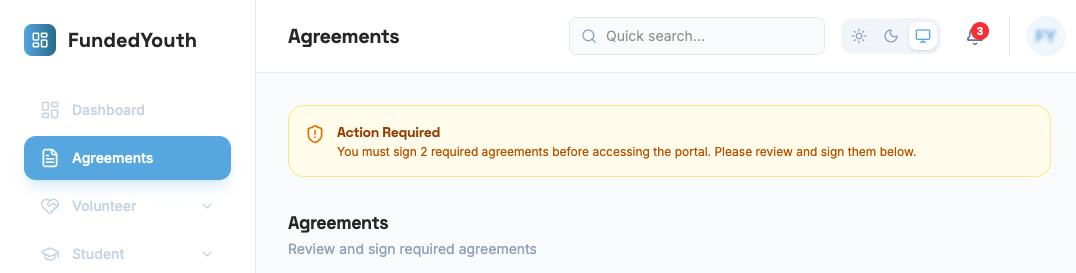
You will not be able to navigate away from the Agreements page until all required agreements are signed.
Agreements Tabs
Section titled “Agreements Tabs”The Agreements page has two tabs:
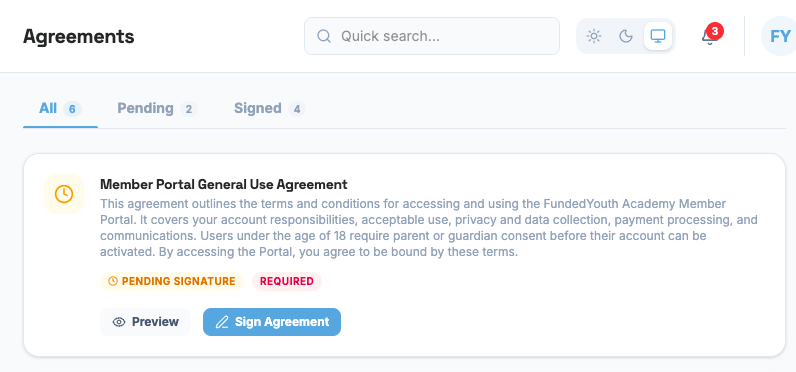
| Tab | What It Shows |
|---|---|
| Signed | Agreements you have already signed. Each card shows the agreement title, the date you signed, and a “Signed” badge. |
| Available | Agreements that are available for you to review and sign. These include required agreements and any role-specific agreements you may need. |
On your first login, you’ll land on the Available tab since you haven’t signed anything yet.
Reviewing an Agreement
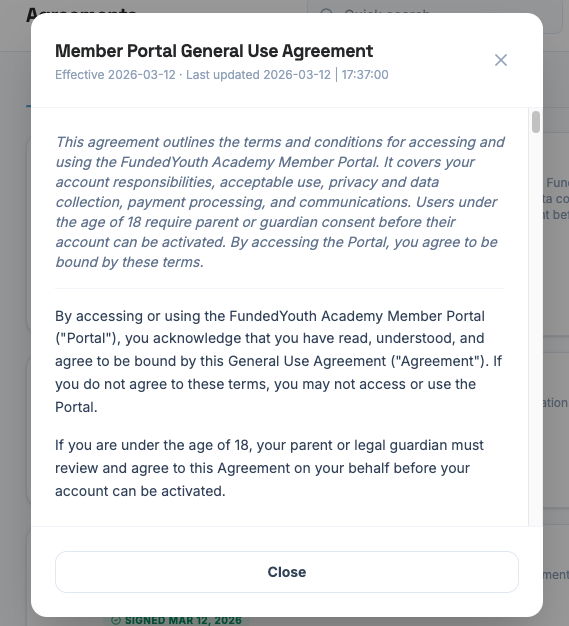
Section titled “Reviewing an Agreement”Clicking on an agreement opens a preview where you can read the full text before signing.
Signing an Agreement
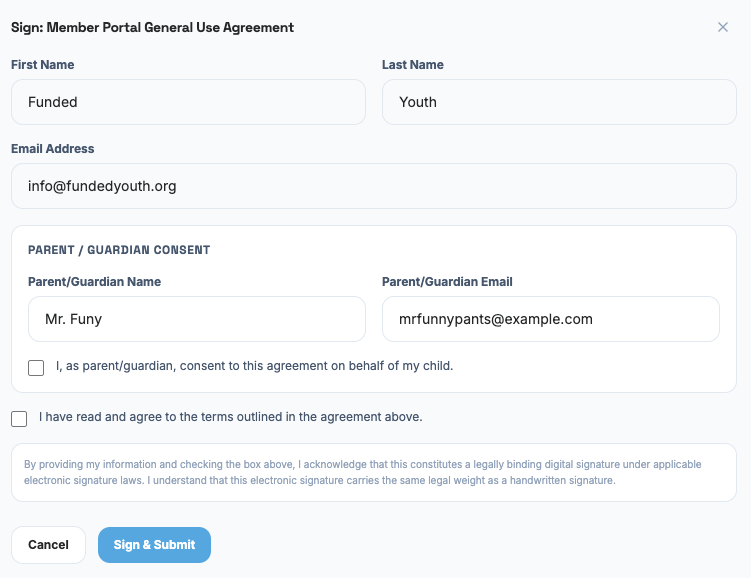
Section titled “Signing an Agreement”The signing form differs depending on the grade you selected at signup:
If your grade is 8–12, Adult, or Other, you sign the agreement yourself by providing your first name, email, and signature.
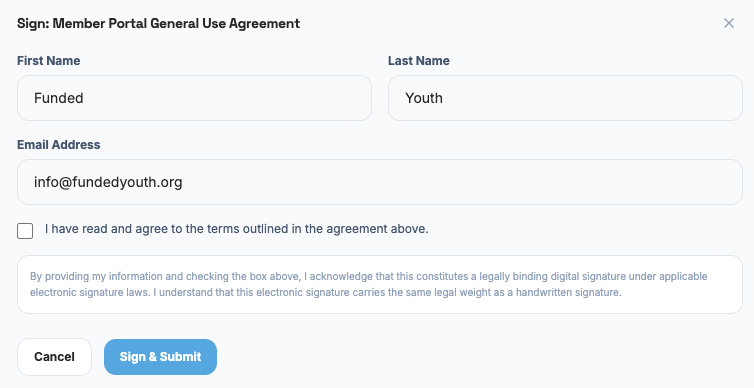
If your grade is K–7, your parent or guardian must sign on your behalf — the email on the account is already theirs, so they handle this step from their own login.
Required Agreements
Section titled “Required Agreements”There are two agreements every user must sign on their first login:
1. Portal Member Agreement
Section titled “1. Portal Member Agreement”This is the main agreement for using the FundedYouth Portal. Depending on the menu access it grants, it covers:
- Account rules — keeping your password private, providing truthful information
- Age and parental consent — what’s required for users under 18, under 13, and when you turn 18
- Portal rules — what you can and cannot do on the platform
- Community standards — being kind, respecting the makerspace, following safety rules
- The Student section — courses, pathways, and badges
- Subscriptions, credits, and sessions — the credit system, registering for events, cancellation and no-show policies
- Content ownership — FundedYouth’s content vs. your uploads
- Privacy and data — what information is collected, how it’s protected, and your rights
- Payments — how billing works and refund policies
- Suspension and termination — what happens if rules are broken
This agreement must be signed by all users. If you are under 18, your parent or guardian must also read and agree.
Read the full Portal Member Agreement
2. Adult Terms of Service Agreement
Section titled “2. Adult Terms of Service Agreement”This agreement applies to anyone 18 or older (or a parent/guardian managing a minor’s account). It covers:
- Account responsibility — you are responsible for all activity on your account
- Community standards — treating everyone with respect, following makerspace rules
- Billing and payments — charges, refunds, and payment processing
- Data and privacy — what’s collected, how it’s stored, and your right to access or delete it
- Parental consent transition — what happens when a minor turns 18
This agreement replaces any prior parental consent on your account if you originally signed up as a minor.
Read the full Adult Terms of Service Agreement
After Signing
Section titled “After Signing”Once both required agreements are signed:
- The blocking banner is removed
- All menu items become accessible based on your roles and permissions
- You are taken to your Dashboard
You may be asked to sign additional agreements later if you take on new roles (Volunteer, Student, Instructor) or subscribe to a membership plan.
All Agreements
Section titled “All Agreements”For a complete list of all agreements used in the portal, see the Agreements page.